Airlonv LED Desk Lamp
4.5Editor score
Stepless brightness adjustment
Wide 17-inch light bar
Flexible 360-degree gooseneck
Cubicle lights bring focused, adjustable illumination to compact work areas where ceiling fixtures may be distant, uneven, or controlled by someone else. The right model should illuminate keyboards, notebooks, and monitors without creating screen glare, consuming desk space, or making every adjustment physically awkward.
This guide compares ten clamp-mounted, under-desk, and architect-style lights using the specifications and customer ratings supplied with each listing. Coverage, mounting method, articulation, color temperature, dimming, remote controls, timers, and eye-comfort features are considered for home offices and shared cubicles.
Each review explains where a light is strongest and where compromises may matter. The list includes simple bars for smaller work areas, dual-head models for multiple monitors, and elaborate multi-arm designs for drafting or detailed creative work. Product listings, availability, and seller details can change.
4.5Editor score

4.7Editor score

4.6Editor score
As an Amazon Associate we earn from qualifying purchases.
The comparison below highlights the major differences in mounting style, light coverage, adjustment, controls, and eye-comfort features so readers can quickly identify the most suitable model for their cubicle.


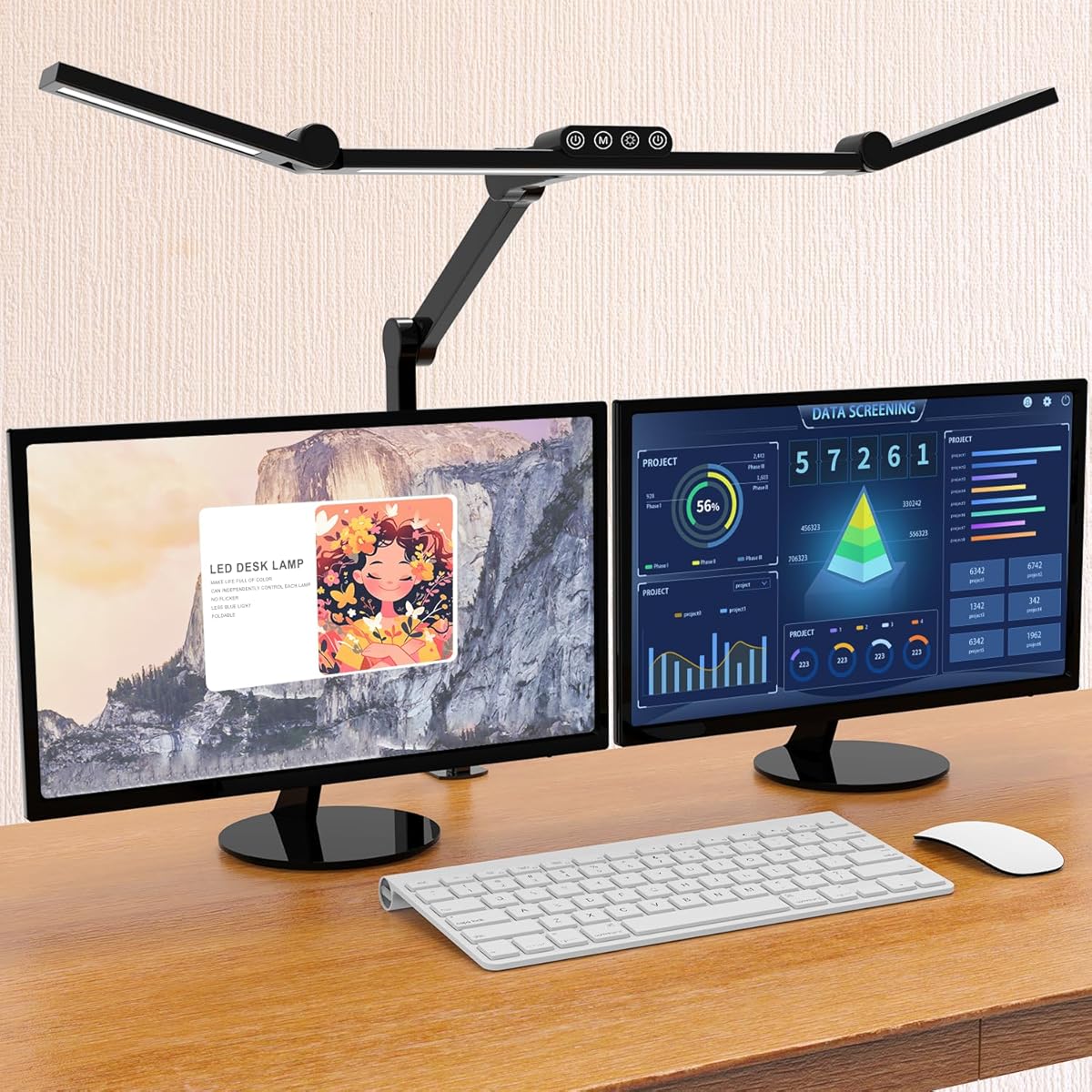
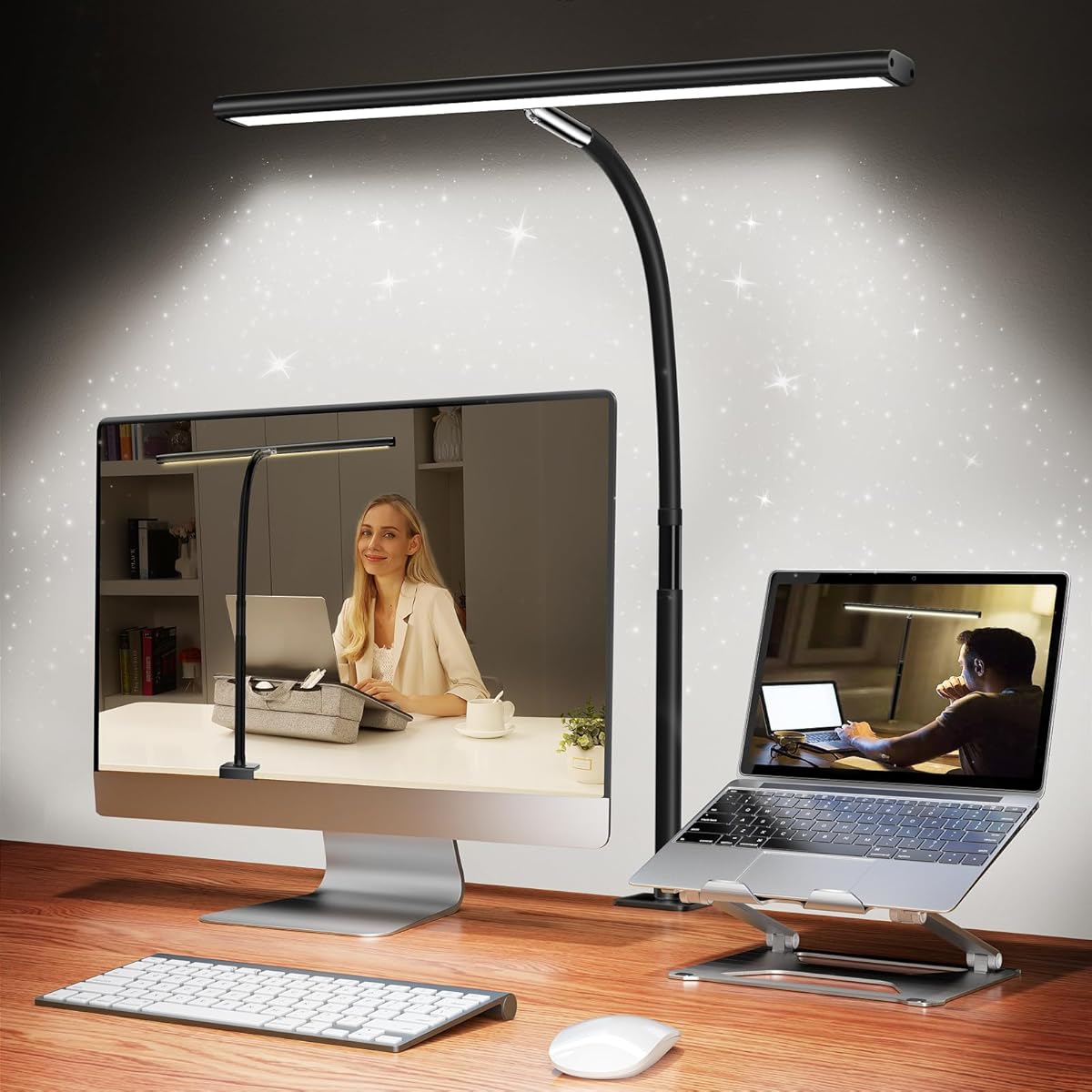
The Airlonv LED Desk Lamp with Clamp is a straightforward, feature-rich task light for cubicles that need broad, adjustable illumination without an oversized multi-arm structure. Its supplied rating is 4.5 out of 5. The standout feature is the combination of a 17-inch extra-wide light bar, stepless brightness control, and a wide color-temperature range from 2700K to 6500K.
We may earn a commission when you buy through this link, at no additional cost to you.
The long gooseneck bends through 360 degrees, allowing the light to move above or beside a monitor and point toward a keyboard, notebook, or craft surface. Its aluminum-and-ABS construction is designed for heat dissipation, and the listing states a lifespan of up to 60,000 hours. A built-in wire-management feature helps prevent the power lead from becoming tangled around the monitor or cluttering the work surface.
The clamp is another practical strength. Its metal construction supports desktops up to 2.36 inches thick, while the light bar is designed to work with monitors up to 30 inches and is also compatible with several smaller sizes. The included 5V/3A adapter means the user does not need to source a separate power supply. The main compromise is that a single horizontal bar cannot independently light different parts of a large desk.
There is also no listed remote control or automatic timer, so changes require reaching the lamp and the light must be switched off manually. Even so, the combination of stepless dimming, a wide color range, generous coverage, and unclamped desktop space makes this an appealing general-purpose recommendation for students, office workers, readers, and crafters.
Stepless dimming allows the output to be adjusted continuously rather than in large jumps. The 2700K–6500K range supports warmer evening reading, balanced general work, and cooler task-oriented illumination.
Keeping the base off the desktop is especially useful in a compact cubicle. The clamp frees the area directly beneath the monitor and helps organize the cable path.
We may earn a commission when you buy through this link, at no additional cost to you.
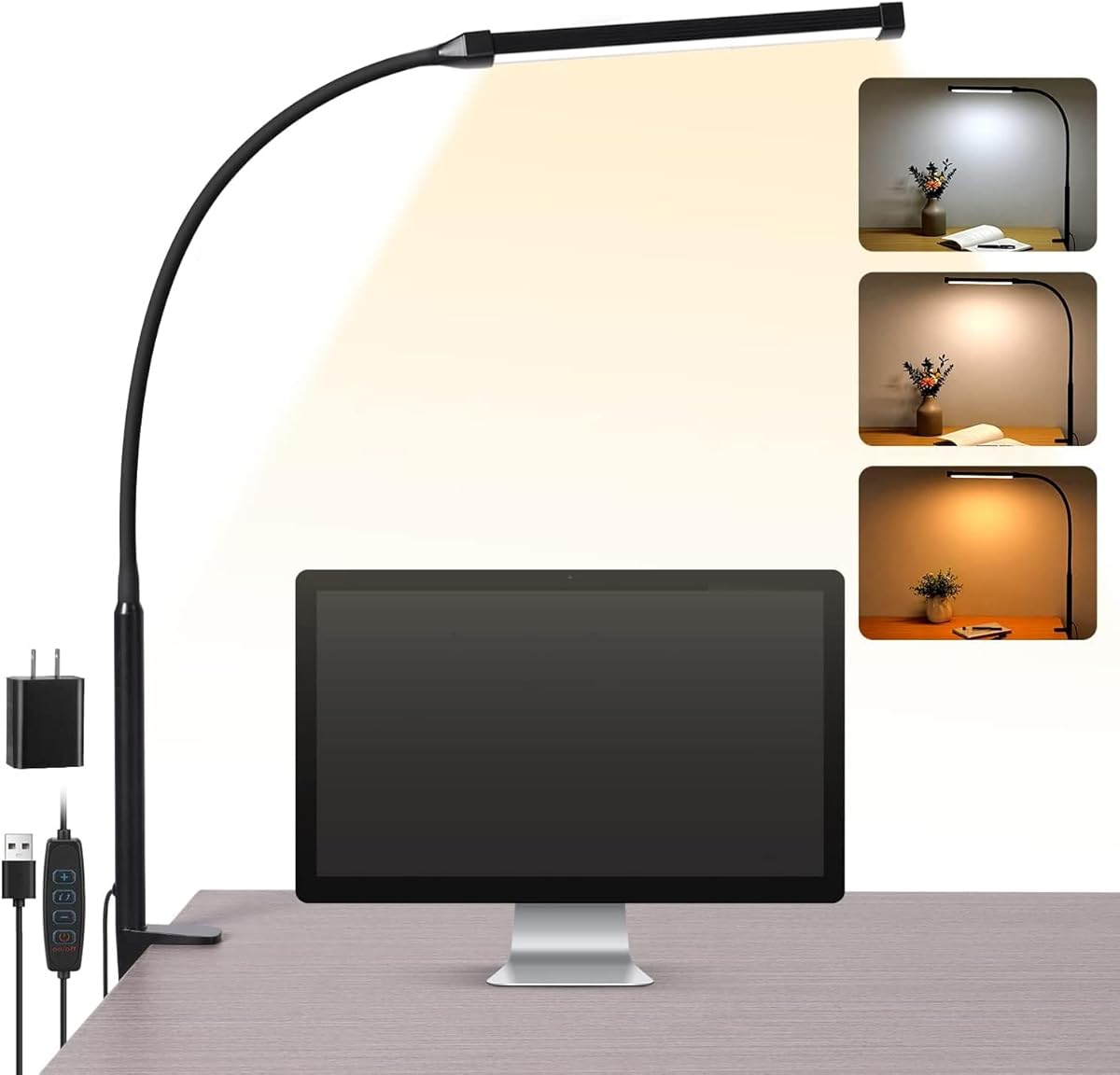
The Voncerus LED Desk Lamp with Clamp is a compact option for a small cubicle, dorm room, or home-office nook. Its supplied rating is 4.6 out of 5. Rather than overwhelming the desk with multiple articulated arms, it uses a slim light board and a flexible gooseneck that can turn through 360 degrees.
We may earn a commission when you buy through this link, at no additional cost to you.
Lighting is divided into three color modes: 2700K warm light, 4500K warm white, and 6500K cool white. Ten brightness levels make it possible to tune the output for reading, general office work, or more concentrated tasks. The memory function restores the previous setting when the lamp is switched on again, reducing repeated adjustments during the day.
Preassembly and USB power are practical advantages. The lamp is ready for immediate use, and the included 5V/2A adapter removes the need for another compatible power supply. The aluminum light board is designed to dissipate heat effectively, with a listed service life of up to 50,000 hours. The listing also emphasizes uniform, soft light without glare, flickering, or ghosting.
The trade-offs are that the control scheme is less sophisticated than that of several competing models. There is no remote, automatic timer, or stepless brightness adjustment in the supplied specifications, and the three fixed color temperatures are narrower than some alternatives. It remains a balanced choice for anyone who values simple operation, a compact footprint, and quick access to common lighting settings.
Remembering the last brightness and color mode means a user can begin the day with familiar lighting. This is useful when the lamp is switched off whenever the workstation is unoccupied.
The preassembled clamp and USB-powered design reduce setup time. Its narrow gooseneck can follow the edge of a monitor or move out of the way when a coworker needs access to the shared partition.
We may earn a commission when you buy through this link, at no additional cost to you.
The Adjustable LED Desk Lamp with Clamp & Remote is the most elaborate four-head design in this guide, built for wide workstations, multiple monitors, and detailed tasks. It carries a supplied rating of 4.6 out of 5. Four extra-wide arms can extend as far as 40.9 inches, providing even coverage across a desk stated to be as wide as 90 inches.
We may earn a commission when you buy through this link, at no additional cost to you.
The light uses 192 LED beads and has a CRI above 95, a useful specification for work that depends on accurate color perception, including drafting, drawing, crafts, and design. The lighting is described as soft, flicker-free, and anti-glare. Two main heads and two auxiliary heads can be controlled separately, allowing broad ambient illumination to be combined with concentrated task light.
Adjustment is extensive. The neck turns through 360 degrees, the swing arms fold through 180 degrees, and the lamp heads rotate through 270 degrees. A remote controls stepless brightness from 10% to 100%, color temperature from 3000K to 5700K, and six presets for writing, computer work, music, drawing, leisure, and night-light use. It also offers auto-off timing after 10 or 40 minutes.
The principal drawback is physical size. This is a substantial lamp rather than a minimalist clip light, and its many moving parts may be unnecessary for a narrow cubicle. The remote also becomes central to convenient operation. In return, few alternatives offer this degree of targeted positioning, color accuracy, and independent lighting control, making it the premium choice for demanding multi-task workspaces.
Each of the four heads can be aimed separately, reducing the need to compromise between monitor lighting and desk lighting. Auxiliary heads can soften shadows or add ambient illumination without making the main task beam excessively bright.
A CRI above 95 makes the four-head lamp more relevant for drawing, sewing, and color-sensitive projects. Users still need adequate ambient room light, but the output is designed to render colors more faithfully than a basic task lamp.
We may earn a commission when you buy through this link, at no additional cost to you.
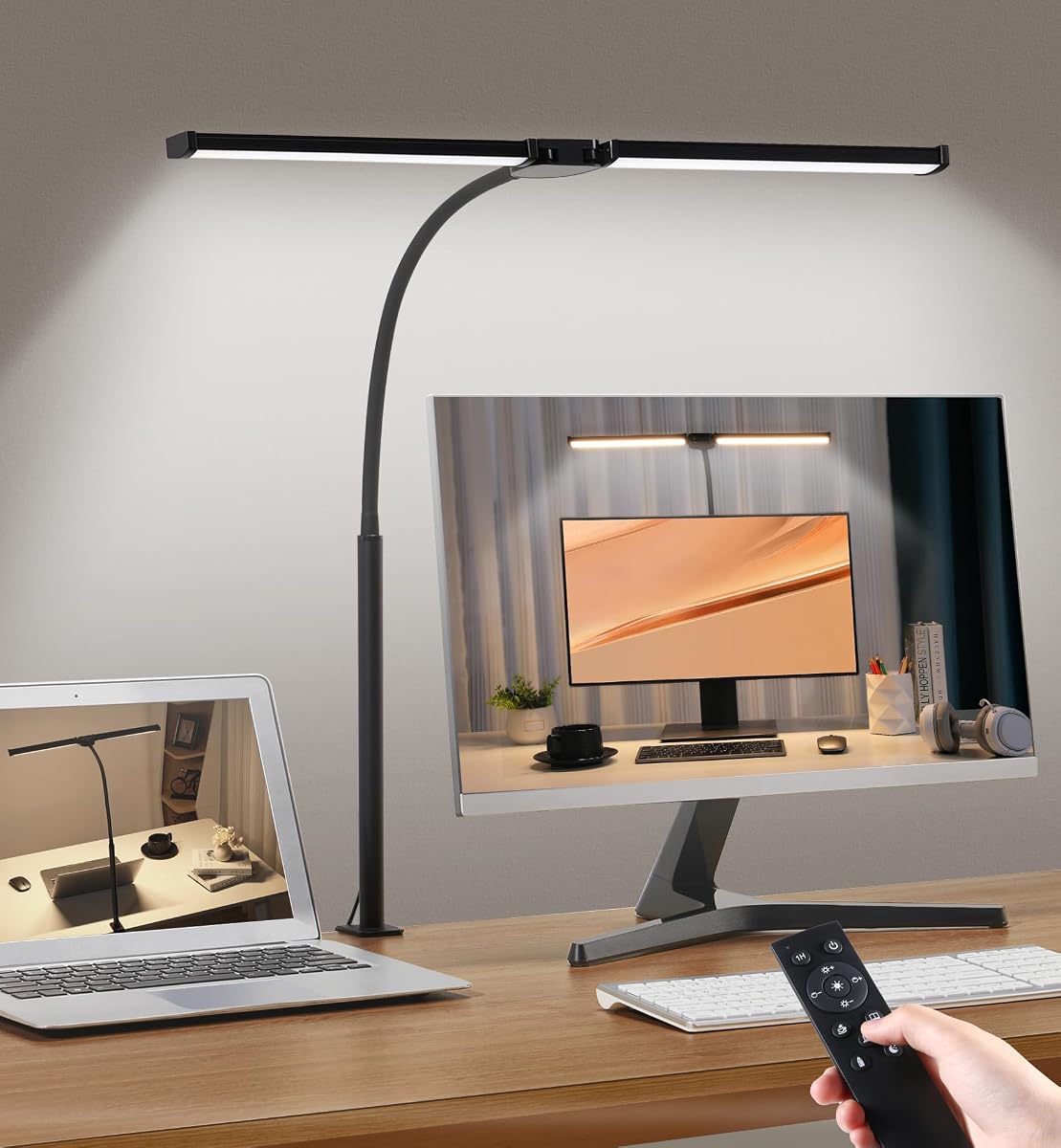
The Motulen Dual-Head Desk Lamp balances broad lighting with convenient remote operation. Its supplied rating is 4.6 out of 5. Two light heads expand the illuminated area compared with a single-bar model, while the clamp keeps the base off the desktop and leaves more usable space beneath a monitor.
We may earn a commission when you buy through this link, at no additional cost to you.
Users can select five color temperatures from 3000K to 6500K and five brightness levels from 20% to 100%. The exact combinations support different times of day, with warmer options available for relaxed reading and cooler options for detailed work. A memory function retains the last setting, and the included remote operates from up to 32.8 feet away.
The remote can handle the primary adjustments, while on-lamp buttons provide an alternative for users who do not want to keep the remote nearby. A one-hour timer automatically switches the lamp off, adding a safety measure for shared offices, reading routines, or any workstation where the occupant may leave temporarily.
Compared with the four-head model, the Motumen offers less reach and only five discrete brightness levels rather than stepless control. Its light bar is also narrower for very large desks. Nonetheless, the combination of dual heads, a long remote range, useful memory, and a timer makes it an easy-to-manage choice for ordinary cubicles and home offices.
The stated 10-meter range lets a user change lighting without leaving a seat or reaching across the work surface. This is useful when the lamp is clamped to the far side of a broad desk.
The one-hour timer provides a simple way to avoid leaving the lamp on after a study or work session. It is less granular than the multiple timers offered by some competitors.
We may earn a commission when you buy through this link, at no additional cost to you.
The ShineTech LED Desk Lamp is designed around a wide double-head structure that can span 31.5 inches. Its supplied rating is 4.5 out of 5. The broad format is aimed at large desks, dual-monitor arrangements, drafting, and focused creative tasks rather than a small single-screen cubicle.
We may earn a commission when you buy through this link, at no additional cost to you.
Touch controls provide five color temperatures from 3000K to 6000K, each with ten brightness levels. That creates 50 lighting combinations, giving users a fine level of control over brightness and tone. The heads have 180-degree adjustment, while the gooseneck provides 360-degree positioning. A 26.7-inch height clearance is designed to accommodate common monitors and laptops.
A memory function restores the previous color and brightness selections, which is helpful for routine office use. Automatic shutoff timers can be set for 10 or 45 minutes. The sturdy metal clamp accommodates desktops up to 2.9 inches thick, and a protective EVA pad helps prevent damage to the mounting surface.
The most apparent compromises are the absence of a listed remote and the size of the dual-head assembly. A narrow workstation may have difficulty accommodating its 31.5-inch span, and users who prefer remote adjustment must reach the touch controls. Even so, the generous coverage, extensive lighting matrix, timer, and memory make this a strong option for larger dual-screen work areas.
The wide design can reduce the need for a second task light across a large desk. It is particularly relevant when one monitor sits near the left edge and another near the right edge of the workspace.
Direct touch adjustment is fast once users learn the controls. Saving the final setting means the preferred combination is restored after the lamp is switched off and on again.
We may earn a commission when you buy through this link, at no additional cost to you.
The EYOCEAN Desk Lamp with Clamp is an editorially selected option because it combines a high 4.7 supplied rating with thoughtful optical and ergonomic features. Its 31.5-inch double-head light source is intended for large monitors, dual-monitor arrangements, architect desks, studying, and drawing.
We may earn a commission when you buy through this link, at no additional cost to you.
The most important technical feature is the asymmetrical optical design. Rather than directing a conventional beam straight toward the screen, the lamp is engineered to reduce reflections while providing soft, even light across the desk. The listing also identifies reduced glare and no blue light as intended benefits, making the design relevant to users who spend long periods in front of a monitor.
The two rotatable heads allow the user to adapt the light to different screen sizes and work surfaces. Five color temperatures and five brightness levels provide 25 combinations, while a remote control removes the need to touch the lamp. Memory restores the last chosen settings, and a timer function adds basic automated control. The included UL adapter has a long 71-inch cable for flexible routing around a partition or monitor.
Only five brightness levels are available, so the EYOCEAN does not offer the same fine stepless control as some models. It also does not list specific timer durations. Its stronger advantages are optical design, broad coverage, remote operation, and the highest customer rating among the ten products, which make it an especially balanced recommendation for monitor-focused cubicles.
The asymmetrical optical approach distinguishes this lamp from basic horizontal bars. It is particularly appropriate where reflected brightness on a large monitor would compete with the task area.
Remote control makes it easy to change tone or brightness as different tasks begin. The memory function also shortens the setup required at the start of a workday.
We may earn a commission when you buy through this link, at no additional cost to you.
The 23.6 Inch Extra Wide Clamp Light is a straightforward wide-bar task lamp with a supplied rating of 5.0 out of 5. It combines an 18-watt output, a stated 1200-lumen output, and stepless dimming in a design intended to light an entire workspace evenly.
We may earn a commission when you buy through this link, at no additional cost to you.
The long bar is described as providing 200% wider illumination than standard lamps. That makes it suitable for a large study desk, two monitors, or architectural drafting, where a narrow light could leave the far side of the work area in shadow. Soft, flicker-free, anti-glare output is emphasized for extended reading and computer work.
Users can select warm white, natural light, or cool white and then adjust brightness continuously. A flexible, durable neck directs the bar toward the relevant portion of the desk, while heat-dissipating materials support reliable operation. Its clamp-based format keeps the base from taking up precious desktop area.
The lighting palette is less granular than that of several rivals because there are only three color temperatures. No remote control, memory function, or timer appears in the supplied information. Those omissions may matter for users who expect automated operation, but for someone who wants broad, clean, continuously dimmable task lighting, this model offers a notably focused feature set.
The extended bar covers a large portion of the work surface without several separate arms. This can make the lamp visually simpler in a cubicle where the partition limits horizontal space.
Stepless dimming provides finer control than a short list of preset levels. A user can match the output more closely to changing room light and specific reading or computer tasks.
We may earn a commission when you buy through this link, at no additional cost to you.
The Pzloz Architect Desk Lamp is a 24W clamp light built for offices, study spaces, drafting, and creative work. Its supplied rating is 4.7 out of 5. It uses a dual-screen-oriented format with multiple points of articulation, allowing the light to be repositioned as the user changes between a monitor, a drawing pad, and a keyboard.
We may earn a commission when you buy through this link, at no additional cost to you.
The lamp offers 25 lighting combinations built from five color temperatures between 3000K and 5500K and five brightness levels from 20% to 100%. Dedicated night-light and reading modes add further shortcuts. Its 360-degree standing structure, 180-degree foldable swing arms, and 270-degree rotatable head create a large adjustment range.
A wireless smart remote allows changes without reaching across the desk. The listing describes the output as even and free of glare, flicker, and blue-light hazards, which supports its positioning as an eye-friendly task light. The clamp and articulated frame can also move out of the way when a shared cubicle requires easier access to the work surface.
Compared with the most feature-rich models, the Pzloz does not list an automatic timer or a setting-memory function. Brightness also changes in five levels rather than continuously. Those are reasonable trade-offs for a design that already offers wide mechanical adjustment, 25 combinations, specific reading modes, and remote control.
The multiple articulated sections let the user place a concentrated pool of light over fine details. That flexibility is useful for sewing, drawing, model building, and other work that involves frequent changes in task location.
Night-light and reading modes make the general settings more approachable. Users can move between a gentle low-output setup and brighter task illumination without navigating every individual control.
We may earn a commission when you buy through this link, at no additional cost to you.
The Desk Light Bar Under Desk Lights is the most distinct model in the guide because it uses a rechargeable, magnetically mounted design instead of a clamp. Its supplied rating is 3.8 out of 5, lower than the other products, but its flexibility may appeal to users who cannot attach a lamp to a desk or partition.
We may earn a commission when you buy through this link, at no additional cost to you.
Two built-in 3600mAh batteries provide up to 20 hours at minimum brightness or four hours at maximum brightness. A Type-C port recharges the bar in approximately three to four hours. This removes the need for a continuous cable during use, which is helpful in shared spaces, temporary workstations, and areas where electrical access is inconvenient.
The 16.5-inch bar provides a wider illuminated area than a small accent lamp. Users can switch among 3000K warm light, 4500K natural light, and 6000K cool white, then adjust brightness continuously through the touch control. The body tilts through plus or minus 88 degrees, helping direct light toward a shelf, cabinet, or work surface while limiting glare.
Installation relies on a magnetic mount and included double-sided tape for iron, tile, glass, and wood surfaces. The adhesive may be difficult to remove and is less suitable for a frequently rearranged cubicle. There is also no motion-sensing function. Still, for cordless cabinet, under-shelf, bunk-bed, studio, or dorm lighting, the rechargeable design serves a purpose that the clamp lamps cannot.
The internal batteries make the light useful where a power cord would be inconvenient. It can be repositioned quickly after charging, provided the mounting surface is suitable for the magnetic adhesive setup.
This bar is especially effective beneath a shelf, cabinet, or hutch. It can provide indirect illumination for a cubicle where clamping a traditional lamp is not possible.
We may earn a commission when you buy through this link, at no additional cost to you.
The Micomlan Architect Desk Lamp is a premium 24W design with three light bars and seven strongly damped joints. Its supplied rating is 4.6 out of 5. The structure is intended to deliver broad desk coverage or a more concentrated beam for sewing, crafting, reading, design, and other detailed work.
We may earn a commission when you buy through this link, at no additional cost to you.
Its main light uses 45-degree angled-away LEDs and side lighting to illuminate the desk and keyboard rather than directing unnecessary light toward screens and eyes. This is designed to reduce reflected glare. The CRI above 95 specification supports accurate color rendering, while the listing describes the output as soft, flicker-free, and anti-glare.
The two auxiliary bars can be turned upward to create ambient lighting, and a built-in sensor automatically adjusts brightness according to surrounding light. The main and auxiliary lights switch on and off separately, while their brightness and color temperature are controlled together. This separation makes it possible to use broad ambient light for general office work and a focused main beam when close detail is needed.
Touch controls provide five preset brightness and color steps, while a long press enables stepless dimming from 20% to 100% and stepless color temperature from 3000K to 6500K. Memory restores the prior setting. The complexity and articulated size may make initial positioning less intuitive than with a simple bar, but they also provide exceptional adaptability for users who work across several zones.
The light sensor can reduce or increase brightness as surrounding illumination changes. This is particularly useful near a window or in a cubicle that becomes brighter during the day.
The main light and auxiliary bars can operate independently while sharing color and brightness settings. That balance supports both screen-focused work and softer illumination across the surrounding desk.
We may earn a commission when you buy through this link, at no additional cost to you.
The most suitable cubicle light depends on desk dimensions, monitor layout, mounting restrictions, and the amount of adjustment required. These factors help narrow the field before comparing brightness, controls, and eye-comfort features.
Measure the usable width of the desk before choosing a light. A single 17-inch or 23.6-inch bar may work well for one monitor and a keyboard, while a 31.5-inch double-head design is better suited to two displays. The four-head model extends as far as 40.9 inches and is intended for unusually broad workspaces. A wider fixture offers even coverage, but it also requires more clearance and may be cumbersome inside a narrow partitioned cubicle.
Most full-size task lights use a clamp, which preserves desktop space and places the light near the monitor. Check the maximum supported desk thickness: listed limits range from two inches to 2.9 inches across the models. The rechargeable bar uses a magnetic mount and adhesive tape instead, making it useful where clamping is prohibited. Also consider partition height, cable routing, and whether the light can be moved when a coworker enters the workspace.
A flexible gooseneck is enough for many single-monitor setups, but multi-arm and rotating-head designs are more useful when the user shifts between a notebook, keyboard, and drawing surface. Look for independently controlled heads if the goal is to light different areas at once. Damped joints also help prevent a carefully positioned lamp from drifting during daily use.
Useful control begins with more than one brightness level. Stepless dimming offers finer adjustment, while stepped modes are quicker to use. Warm light near 2700K or 3000K can be more comfortable for evening reading, neutral tones are versatile for general office work, and cooler light around 5700K to 6500K can support close, detail-oriented tasks. Matching the lamp to the room's existing light is also important.
Flicker-free, anti-glare output and a high color-rendering index are useful indicators of a task lamp designed for sustained work. The EYOCEAN uses asymmetrical optics, while the Micomlan directs its main LEDs away from screens. Dual-head and architect-style fixtures can also reduce shadows by lighting from multiple directions. None of these characteristics removes the need for proper placement, so the lamp should be aimed at the task rather than directly into a monitor.
A remote is valuable when the light is far from the user's hand or fixed to the opposite edge of a broad desk. Memory saves time by restoring familiar settings after a power cycle. Automatic timers provide basic energy control and can prevent a lamp from remaining on after a reading session. These features are conveniences rather than core lighting requirements, but they become more valuable in shared or frequently vacated cubicles.
Most clamp lamps include an adapter and require a nearby outlet, which supports consistent operation without battery management. USB-powered models can offer more setup flexibility, while the rechargeable light bar removes a cable from the desk during use. Consider the length and route of the included cable, the availability of a suitable outlet, and whether battery charging fits the user's routine.
A desk lamp that feels appropriate for the environment matters as well as its specifications. Basic clip lights suit modest work areas, wide double-head models address multiple screens, and architect lamps suit drafting, sewing, or design. Look for included mounting hardware, straightforward assembly, heat-dissipating materials, and a listed service life, but avoid choosing a complex fixture solely for features that will not be used.
Begin by positioning the clamp on a stable desk edge, checking that the surface thickness falls within the manufacturer's stated limit. Secure the base before extending the arm or light head. Route the cable away from the monitor stand, partition, and shared walking area, and connect the lamp using the supplied adapter unless the product instructions specify otherwise.
Aim the light at the task surface rather than at the monitor or the user's face. For a double-head model, direct one head toward the primary writing area and use the other for a secondary screen or general illumination. Adjust the brightness and color temperature to complement the room, then use the memory, presets, remote, or timer to reduce the need for repeated manual changes.
Clean the lamp with a soft, dry or lightly damp cloth after switching it off and unplugging it. Avoid spraying cleaner directly onto the LEDs, controls, joints, or power supply, and do not use abrasive materials. Periodically check the clamp, joints, and cable for looseness or damage. If the light behaves unusually, stop using it and follow the product's support and safety instructions.
A clamp-mounted LED task light is generally the most versatile option because it keeps the desktop clear and places illumination close to the monitor. A wide bar suits a single screen, while dual-head or architect-style models are more appropriate for multiple displays, drafting, or detailed creative tasks. The correct choice ultimately depends on desk dimensions, mounting restrictions, and how much directional control is needed.
A wider design can illuminate both monitors and the work area more evenly, reducing the need for a second lamp. However, it must still fit within the cubicle and leave enough room to adjust the heads. A wide fixture that interferes with a partition or monitor is less useful than a narrower model positioned correctly.
Warm light around 2700K to 3000K is usually easier on the eyes during evening reading and can create a more relaxed atmosphere. Neutral light near 4000K to 4500K works well for general office tasks, while cooler light can improve visibility during detailed work. Adjustable models are the most versatile because the preferred tone can change with the time of day and ambient room light.
Lighting can contribute to discomfort when output is uneven, excessively bright, poorly positioned, or accompanied by flicker. Models that advertise flicker-free, anti-glare output and offer dimming can help, but the correct setup matters just as much. Aim the lamp toward the desk, avoid direct glare from the screen, and use a comfortable brightness level rather than the maximum output all day.
A clamp lamp is usually preferable when a desk edge is available because it preserves working space and keeps the fixture close to the monitor. A base lamp may be easier to reposition, but it occupies valuable desktop area. Check desk thickness, partition position, and the depth required by the base before choosing.
Compact dimensions, a timer, easy adjustment, and a memory function can be especially useful in a shared office. A remote helps when the lamp is difficult to reach, while automatic shutoff can prevent wasted energy when a workstation is unoccupied. A clamp that can be moved or released easily may also be important if colleagues need access to the desk.
It can provide effective indirect illumination for a keyboard, shelf, or compact work area, particularly when mounting a conventional clamp is not permitted. Its light pattern and direction differ from an adjustable task lamp, however. Users who need to focus light on detailed work or direct it around monitor obstructions may still prefer an articulated clamp fixture.
Choose a model with asymmetrical or angled-away lighting and position it so the brightest part of the beam falls on the desk rather than the screen. Lower the brightness if the room is already bright, and use a color temperature that does not make the display stand out harshly. Cleaning the screen and adjusting its position can also reduce visible reflections.
The Airlonv LED Desk Lamp stands out as a budget-minded all-rounder with a 17-inch bar, stepless dimming, and a flexible gooseneck. The EYOCEAN Desk Lamp is the editorially selected option for its asymmetrical glare-conscious design, remote operation, and broad double-head coverage, while the four-head remote model offers the most extensive articulation and premium feature set.
Prioritize the factors that directly affect your work: measure the desk, confirm mounting clearance, and choose coverage that reaches every screen and task area. Remote controls, memory, and timers improve convenience, but they cannot compensate for a lamp that is too narrow, poorly positioned, or unable to move into the right light path.
Before making a final selection, review the current listing details, included components, compatibility information, and seller policies. Lighting requirements and available models can change, so checking the latest product information helps ensure that the chosen cubicle light remains suitable for your workstation.